Kiro did a lot for spec-driven development. It showed many developers that an AI agent works better from a written spec than from a one-line prompt. If you are reading this, you probably like that idea, and you want to know if there is another way to run it.
This post compares Kiro with nTra. It covers what Kiro does well, where the two differ, and which one fits which team.
What Kiro does well
Kiro is an agentic IDE from AWS. Its spec workflow turns a feature request into three files in your repo: requirements.md, design.md and tasks.md. Requirements are written as user stories with acceptance criteria, in a structured "WHEN ... THE SYSTEM SHALL ..." format. You approve each phase before the next one starts.
Kiro then works through the task list, and it can run independent tasks at the same time. Agent hooks let you automate steps, such as running a check when a file is saved.
For a developer who wants specs inside the editor, this is a clean setup. The spec lives next to the code, and the whole loop happens in one window.
Where teams start looking for an alternative
Most teams we talk to are not unhappy with Kiro's specs. They look elsewhere for one of three reasons.
They already have a coding agent. The team pays for Claude Code, Codex or Copilot, and developers are used to it. Moving the whole team to a new IDE to get spec-driven development is a big change for one practice.
The spec starts before the developer. In many teams, the idea comes from a founder or a product manager who does not open an IDE. They need a place to shape the requirements, answer questions and approve them, before any developer is involved.
They need a team view. One developer's spec in one repo works well. A product with several people, several features and a tracker like Jira or Linear needs the specs, the tasks and their status in one shared place.
How nTra approaches spec-driven development
nTra is an AI orchestration OS. It does not replace your coding agent. It sits above it.
Discovery and the brief. The work starts with a discovery chat. nTra asks the questions a senior product manager would ask, one at a time, and writes the brief as you answer. A depth score shows which parts are still thin. A founder or product owner can do this without touching code.
Approval first. Nothing is planned or built until someone approves the brief. After that, nTra turns it into documents, screens on an editable canvas, and a task list sized in nTra points.
Your agent does the build. Each task runs through Claude Code, Codex or Copilot, on your computer through the ntra CLI or the Mac app, or in our cloud. You write your rules once in the Agent kit, and nTra translates them for each agent.
Checked, then reviewed. nTra re-runs the tests itself instead of trusting the agent's summary. Each task ends as a pull request your team reviews. nTra never pushes to main.
Kiro vs. nTra at a glance
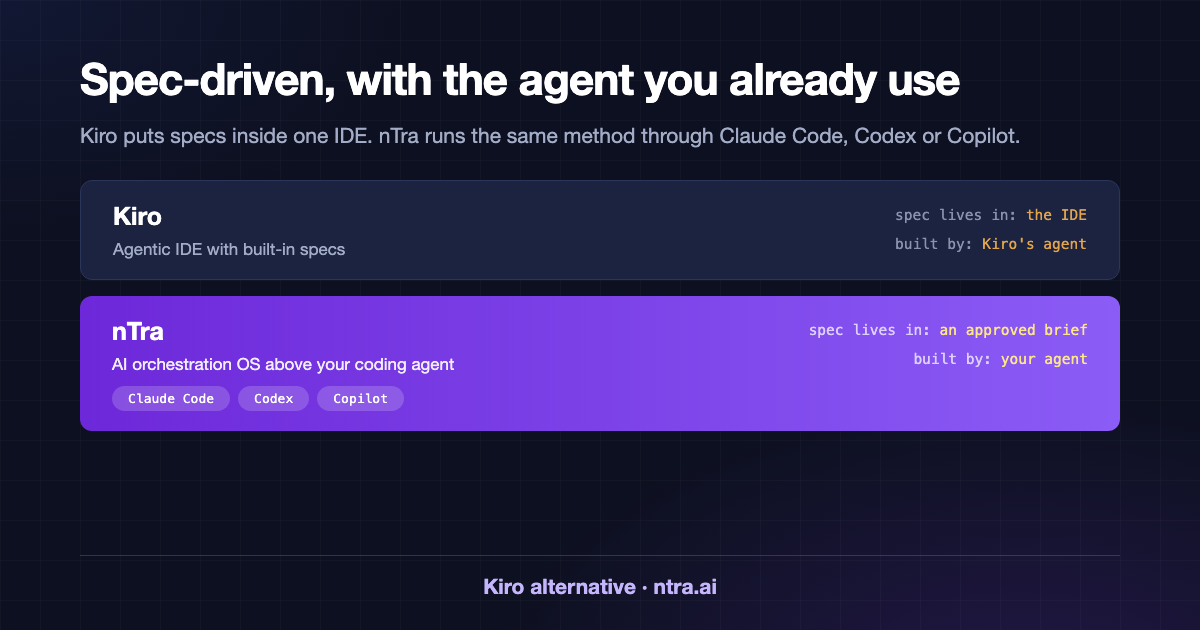
- What it is: Kiro: Agentic IDE with built-in specs. nTra: Orchestration layer above your coding agent.
- Where the spec starts: Kiro: In the IDE, from a feature prompt. nTra: In a discovery chat, open to non-developers.
- Spec format: Kiro: requirements.md, design.md, tasks.md in the repo. nTra: An approved brief, then documents, screens and tasks.
- Who builds: Kiro: Kiro's own agent. nTra: Claude Code, Codex or Copilot.
- Where it runs: Kiro: In the Kiro IDE. nTra: Your computer or nTra's cloud.
- End of a task: Kiro: Code changes in your workspace. nTra: A pull request for your team to review.
Which one should you pick?
Pick Kiro if you are a developer, or a small dev team, who wants specs inside the editor and is happy to switch IDEs for it.
Pick nTra if your team already uses Claude Code, Codex or Copilot and wants to keep them. It also fits if product people write the requirements, or if you need specs and tasks shared across a team and synced to your tracker.
Both tools agree on the main idea: approve the spec first, then let the agent build. The difference is where that loop lives.
Try it
Read the spec-driven development guide for the full method, or see how nTra works. Plans start at $59 a month on the pricing page.