GitHub Spec Kit is one of the easiest ways to try spec-driven development. It is free, open source, and works with the coding agent you already have. Many teams start there.
This post explains what Spec Kit does well, where teams start to need more, and how nTra compares.
What Spec Kit does well
Spec Kit is a toolkit from GitHub. You install its specify CLI and run specify init in your project. That adds slash commands to your coding agent, such as /speckit.specify, /speckit.plan, /speckit.tasks and /speckit.implement.
Each command writes a Markdown file that feeds the next step. The spec becomes a plan, the plan becomes tasks, and the agent implements the tasks. An optional /speckit.analyze command checks that the files agree with each other.
Spec Kit supports a long list of coding agents, including Copilot, Claude Code, Codex and Gemini. Everything stays in your repo as plain files.
For a developer who wants to try the method with no cost and no new tool, this is a very good starting point.
Where teams outgrow it
Spec Kit is a set of commands and templates. That is its strength, and also where its limits show up as a team grows.
The spec is written at the terminal. Spec Kit starts from a prompt that a developer types. Product owners and founders who have the idea do not usually work in a coding agent's terminal.
Approval is a habit, not a step. Nothing stops a developer from running /speckit.implement before anyone else has read the spec. On a team, you want the approval to be visible and recorded.
There is no shared view. Each spec lives in a branch or a folder. Seeing every feature, its tasks and their status means opening many files, or copying them into a tracker by hand.
Checking is up to you. The agent reports what it did. Whether the tests really ran, and whether the result matches the spec, is left to the reviewer.
How nTra approaches the same problem
nTra is an AI orchestration OS built for the same method, at team scale.
Discovery, not a blank prompt. The work starts with a discovery chat that asks one question at a time and writes the brief as you answer. A depth score shows what is missing. Anyone on the team can do this, in the browser.
A real approval gate. Nothing is planned or built before the brief is approved. Then nTra produces documents, screens and tasks from that one approved version, so they agree with each other.
Any agent, one set of rules. Tasks run through Claude Code, Codex or Copilot, on your computer or in our cloud. Rules written once in the Agent kit are translated for each agent.
Checked and traceable. nTra re-runs the checks itself, shows every step of the run in the Console, and ends each task as a pull request. Every PR links back to the task and the brief behind it.
Spec Kit vs. nTra at a glance
- What it is: GitHub Spec Kit: Open-source CLI and templates. nTra: Orchestration OS with a web app, CLI and Mac app.
- Cost: GitHub Spec Kit: Free. nTra: Paid plans from $59 a month.
- Where the spec starts: GitHub Spec Kit: A prompt in your coding agent. nTra: A discovery chat in the browser.
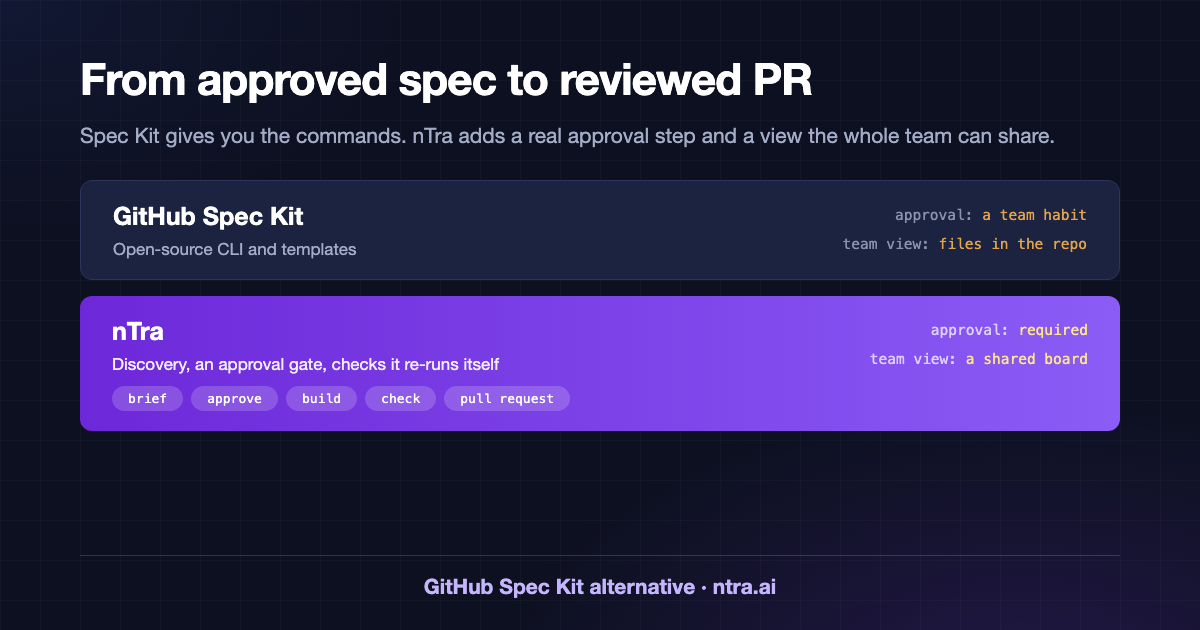
- Approval: GitHub Spec Kit: Up to the team's habits. nTra: Required before planning and building.
- Team view: GitHub Spec Kit: Files in the repo. nTra: Shared board, synced to your tracker.
- Checks: GitHub Spec Kit: The agent's own report. nTra: nTra re-runs the tests itself.
- End of a task: GitHub Spec Kit: Code changes from the agent. nTra: A pull request for review.
Which one should you pick?
Pick Spec Kit if you are one developer or a small team, you want to try spec-driven development today, and you are happy to keep everything as files in the repo.
Pick nTra if product people shape the requirements, you need approval to be a real step, or you want specs, tasks and pull requests tracked in one place across the team.
Many teams try Spec Kit first, like the method, and then want it to work for everyone. That is the gap nTra fills.
Try it
Read the spec-driven development guide, or compare AI coding agents. See how nTra works or check pricing.